
Zambia passport 1.5x2 inches (51x38 mm) Photo Size & Requirements
Use our free photo checker and tool to verify size, background, and head position instantly.
Check Zambia passport 1.5x2 inches (51x38 mm) photo size and requirements online. Upload your photo to instantly verify compliance with official government standards, including background, head size, and positioning. Then generate a print-ready photo in seconds – 100% online.
- Automatic photo size and background verification
- Head position and alignment check with instant results
- Generate print-ready photos (JPG and 4×6 layout)
Zambia passport 1.5x2 inches (51x38 mm) Requirements Overview
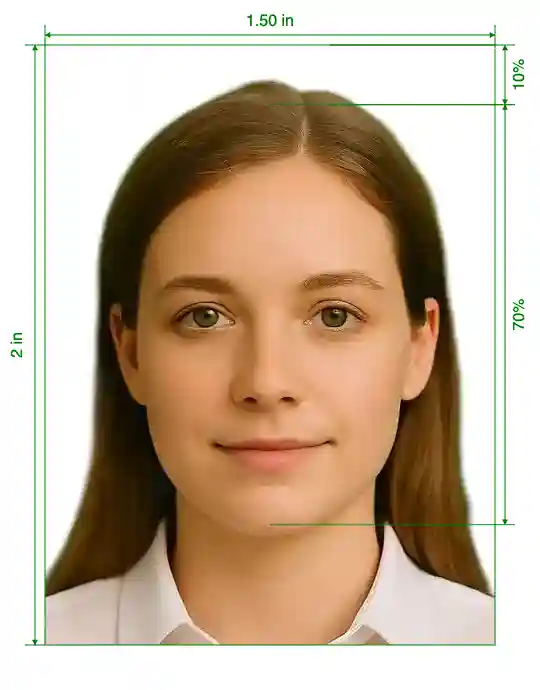
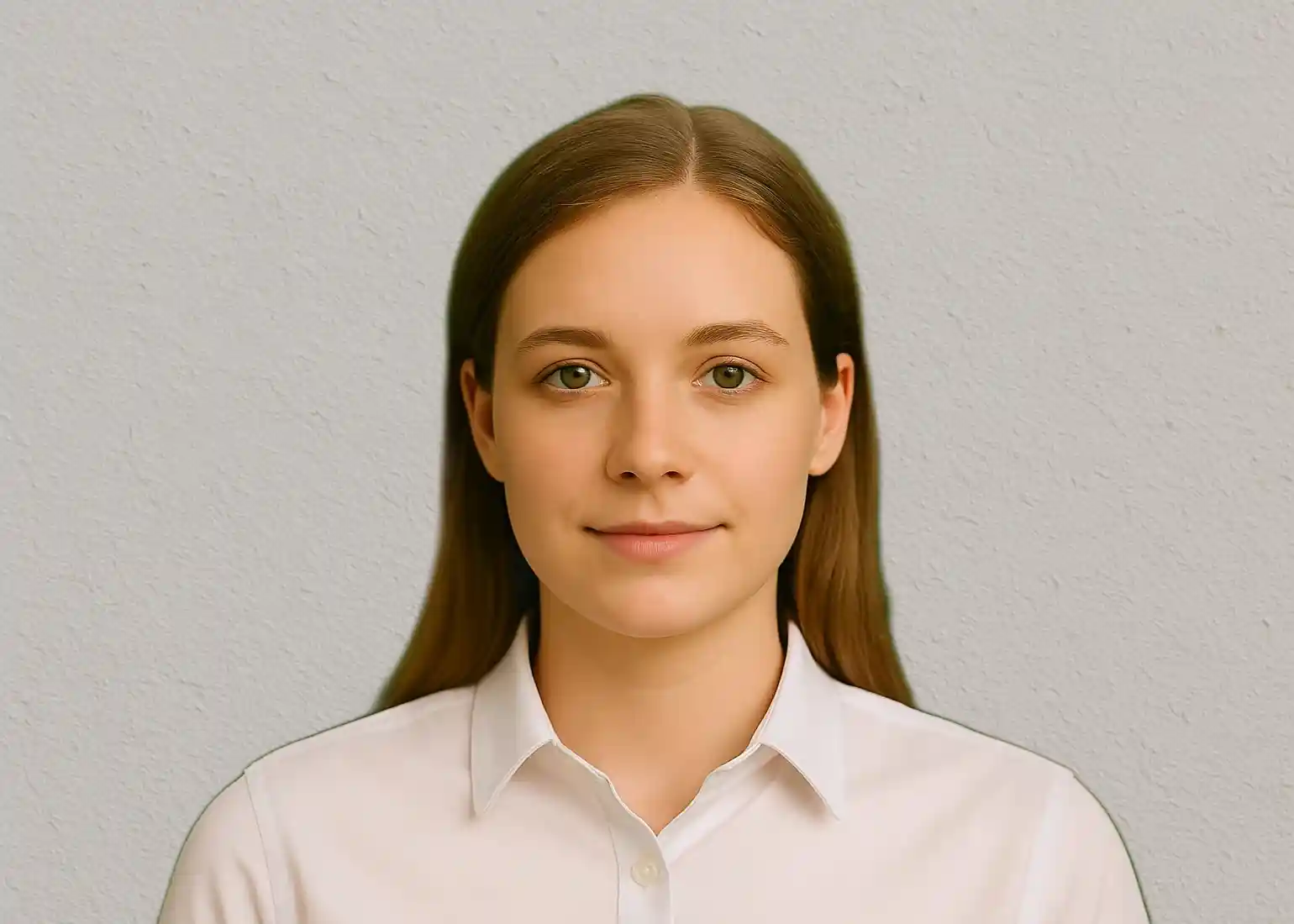
Learn about Zambia passport 1.5x2 inches (51x38 mm) photo requirements for Zambia. Photos must have a white background. Specific head positioning requirements apply. These photos are suitable for printing. Photos can be used for online applications. The size must not be more than 64 mm by 51 mm or less than 51 mm by 38 mm. [51 by 38 mm equals to 2 by 1.5 inches].
Official Documentation:
http://www.zambia.or.jp/docs/passportforma.pdfhttp://zambiahc.org.uk/services/passport/Zambia passport 1.5x2 inches (51x38 mm) Requirements
The ZM government has established specific requirements for zambia passport 1.5x2 inches (51x38 mm) photos to ensure they meet international standards and biometric specifications. These requirements are strictly enforced and non-compliant photos will be rejected.
All zambia passport 1.5x2 inches (51x38 mm) photos for ZM must be recent (taken within the last 6 months), show a clear view of your face, and follow precise sizing and background requirements. The photo quality must be high enough to clearly identify the applicant and meet digital processing standards.
💡 Pro Tip: Use our AI-powered tool above to automatically ensure your photo meets all Zambia passport 1.5x2 inches (51x38 mm) photo requirements. Our system checks compliance in real-time and fixes common issues automatically.
Zambia passport 1.5x2 inches (51x38 mm) Size and Dimensions
Print Dimensions
Digital Specifications
The Width: 1.5in, Height: 2in dimension is measured from the bottom of the chin to the top of the head, including hair. For ZM zambia passport 1.5x2 inches (51x38 mm) photos, the head height should be Standard head height. Our AI tool automatically calculates these proportions to ensure perfect compliance with ZM standards.
How to Take Zambia passport 1.5x2 inches (51x38 mm) Photo at Home
Taking your own Zambia passport 1.5x2 inches (51x38 mm) photo at home is possible with the right setup and technique. Follow these steps to capture a photo that meets official requirements, then use our AI tool to verify compliance and make final adjustments.
📸 Camera Setup
- • Use a smartphone with good camera (8MP+)
- • Position camera at eye level
- • Maintain 4-6 feet distance
- • Use timer or ask someone to help
💡 Lighting Tips
- • Use natural daylight when possible
- • Avoid direct sunlight or harsh shadows
- • Face a window for soft, even lighting
- • No flash - it creates unwanted glare
📋 Step-by-Step Process
- 1. Background: Stand against a plain white or light gray wall
- 2. Position: Face the camera directly with shoulders square
- 3. Expression: Neutral expression, mouth closed, eyes open
- 4. Distance: Keep 12-18 inches from the background wall
- 5. Capture: Take multiple shots to choose the best one
⚠️ Important: Even with perfect technique, DIY photos often have minor issues that cause rejection. Upload your photo to our tool above for automatic compliance checking and professional-grade adjustments that ensure ZM acceptance.
Official Zambia passport 1.5x2 inches (51x38 mm) Photo Requirements
- Lighting: Face and background must be evenly lit. Natural or soft lighting is recommended. No shadows.
- Background: Plain white or light-colored background with no patterns or objects.
- Camera position: Camera at eye level, facing straight on, approximately 1–1.5 meters away.
- Expression: Neutral expression, mouth closed, eyes open, no head tilt.
Appearance & Clothing Rules
- Eyes must be fully visible and facing the camera.
- Head must be straight and centered.
- Glasses are not allowed unless explicitly permitted by local rules.
- Avoid white clothing that blends into the background.
- Religious head coverings are allowed if the face is fully visible.
- No hats, headphones, or accessories covering facial features.
How We Check Your Zambia passport 1.5x2 inches (51x38 mm)
- Upload your photo — we analyze it against official Zambia passport 1.5x2 inches (51x38 mm) requirements.
- If something doesn’t meet the rules, our AI fixes it automatically in seconds.
- Download a compliant digital photo or a print-ready 4×6 sheet accepted by photo labs.
What We Check for Compliance
| Official Requirement | How IDPhotoNow Handles It |
|---|---|
| Head size, position & proportions | ✅ AI measurement and alignment checks |
| Eye level and visibility | ✅ Automatic eye-line verification |
| Background color & cleanliness | ✅ Shadow removal and background normalization |
| File size, resolution & DPI | ✅ Output optimized to official limits |
| Print-ready photo layout | ✅ One-click 4×6 print sheet generation |
All checks are based on published government photo requirements.
Free Zambia passport 1.5x2 inches (51x38 mm) Photo Checker
Upload your photo and our AI instantly checks compliance and fixes issues. Get a perfect Zambia passport 1.5x2 inches (51x38 mm) photo in seconds — no guesswork required.
Document Requirements
| Name | Zambia passport 1.5x2 inches (51x38 mm) |
| Country | Zambia |
| Document Type | Passport |
| Passport Picture Size | Width: 1.5in, Height: 2in |
| Resolution (Dpi) | 300 |
| Image Definition Parameters | Head height (up to the top of the hair): 70%; Distance from top the of the photo to the top of the hair: 10% |
| Background Color | |
| Printable? | Yes |
| Suitable For Online Submission? | Yes |
| Web Links To Official Documents |
Frequently Asked Questions About Passport & Visa Photos
Quick answers to the most common questions about passport and visa photo requirements.
Other Countries Passport Photo Tools
Need passport photos for other countries? Our AI tool supports official requirements for 100+ countries.
United States
2x2-inch • white
View Requirements →Canada
50x70mm • white
View Requirements →United Kingdom
45x35mm • plain light grey or cream
View Requirements →Germany
35x45mm • neutral light grey
View Requirements →France
35x45mm • light grey or white
View Requirements →Australia
45x35mm • plain light background
View Requirements →India
2x2-inch • white
View Requirements →China
33x48mm • white or light blue
View Requirements →